Rollex11 · Install notes
Rollex11 without an iPhone app: the browser, Android and PC options
No iPhone build, two Android files, a Windows installer and a web platform. How Rollex11 was reached, and why the browser route has its own traps.
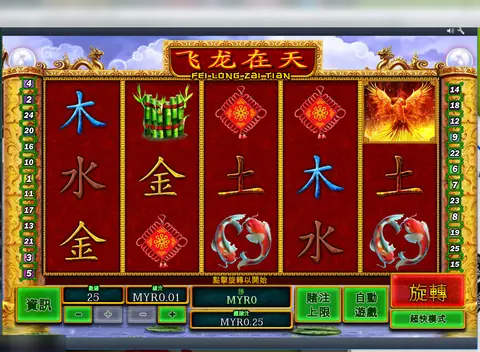
Rollex11 never had an iPhone app. The old page said so in its last FAQ line, after offering everything else: an Android APK for slot games, a second APK for live games, a Windows installer and a link to an online platform. The three download links are dead, and the web address is not one we link. The intro text above them didn't help much either. It described Double Diamond and a Cash Splash wild, symbols from other games, and at one point called Rollex11 "the Play8oy mobile slot game".
Where Rollex11 players went instead
Google Play and the App Store accept real-money gambling only from operators licensed in the country, and online gambling is illegal in Malaysia. That left Rollex11 players with an Android file, a PC installer or a web page. Each has its own weak spot.
The Android files
Two separate APKs meant two installs, two sets of permissions and two chances of a doctored copy. For each one, give "Install unknown apps" only to the browser or file manager you use (Settings > Apps > Special app access), install, and take the permission back. Ask the agent who issued your ID for the version and file size, and compare. Keep Google Play Protect on. If either app asks for accessibility access, SMS or contacts, uninstall it.
The Windows installer
An EXE from outside the Microsoft Store usually trips SmartScreen's "Windows protected your PC" box. It means nobody known has vouched for the file. Scan it before you click Run anyway, and treat any request to turn off your antivirus as the end of the matter.
Playing in a browser
For iPhone owners, the web platform was the only way in. It needs no install and no trust setting, which sounds safer. The risk moves to the address bar. Casino login pages are easy to copy, and lookalike domains are cheap. A few habits help:
- Type or bookmark the exact address your agent gives you. Don't follow links from ads or messages.
- Check the address before every login, not just the first.
- Don't let a shared or work browser save the password.
- Keep online banking in a different browser, and never type your TAC anywhere a game can see.
What the old FAQ got wrong
It told you to search for this site to find Rollex11, promised a "free demo account", and gave a paragraph on 2.4 GHz versus 5 GHz Wi-Fi before admitting both were the same. The only part worth keeping was the plain answer on iPhone.
The Rollex11 overview explains what's in the lobby, and all eight slots are on the Rollex11 game list. NTC33's install notes cover a very similar two-APK setup. Other apps are under install notes. If you still want to play, ask the partner for an ID.
18+ only. Online gambling is illegal in Malaysia, and nobody can help if a lookalike site takes your money. See responsible gaming.
Questions people ask
Can I play Rollex11 on an iPhone?
The old page said iOS devices were not compatible. It offered Android files, a Windows client and a browser platform instead.
Does Rollex11 need 5 GHz Wi-Fi?
No. The old FAQ spent a paragraph on 2.4 and 5 GHz, then admitted both work the same. Any stable connection will do.
Is the browser version safer than the app?
It skips installing a file, which removes one risk, but it adds another: fake login pages. Type or bookmark the address your agent gives you and check it every time.
18+ only. Real-money game, and online gambling is illegal in Malaysia. Don't play with money you need, and stop when it stops being fun. Responsible gaming.