Mega888 · Install notes
Mega888 install notes, starting with the swapped buttons
Three builds, two iPhone versions and button pictures that didn't match their links. How to check a Mega888 file before you trust it, on Android and iPhone.
Look closely at the old Mega888 download page and the buttons don't match their links. The picture on the first iPhone link was the Android button, and the Android link wore the iPhone 64-bit picture. Anyone who went by the pictures got the wrong file. It's a small slip, but it makes the point of this page: check what you actually installed, not what the button said.
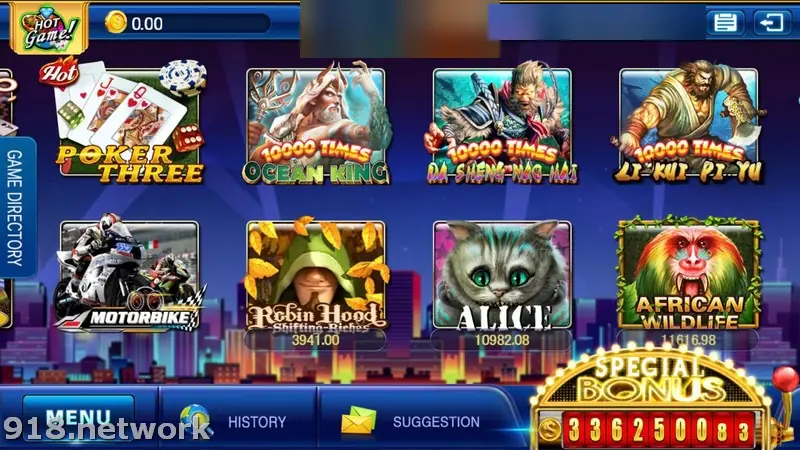
That lobby, with Poker Three, Ocean King and Alice among the tiles and a Special Bonus counter in the corner, is what a working install opens to. We've blurred the account number in the top bar.
Three builds, and why none were in a store
The page offered an iPhone build for 64-bit phones, one for older 32-bit phones, and an Android APK. None came from Google Play or the App Store. Both stores keep real-money gambling apps out unless the operator is licensed in the country, and online gambling is illegal in Malaysia. The download host behind those buttons is gone, along with every other link this site used to carry.
Checking a build before you trust it
On Android, ask the agent who issued your ID for the file name, size and version number before you install. After the install, Settings > Apps > Mega888 shows the version. If the numbers don't match, or the app asks for accessibility access, SMS or contacts, uninstall it. A tampered copy looks exactly like the real lobby until it starts reading your notifications.
To install at all, the browser or file manager needs "Install unknown apps" permission under Settings > Apps > Special app access. Grant it to that one app, then take it away again once Mega888 is in.
The iPhone trust routine
The old step-by-step screenshots are lost with the host that served them, but the routine is short:
- Tap the new icon. iOS warns about an Untrusted Enterprise Developer. Tap Cancel.
- Go to Settings > General > VPN & Device Management.
- Pick the company listed under Enterprise App, tap Trust and confirm.
Trust lets that company's signed apps run. Apple revokes enterprise certificates used this way, and Mega888 then refuses to open until a new build arrives under a new name. Whatever company name appears there, its certificate was never meant for handing a casino app to the public.
When the credit doesn't match
The last old FAQ asked what to do if the credit on your ID didn't match what you transferred. The answer was "contact customer service". Ours: screenshot every transfer, note the amount and time, and try a small withdrawal early. The Mega888 overview explains how IDs and credit work, and the Mega888 game list covers the games. 918Kiss install notes run through the same iPhone steps, and the rest are under install notes. You can ask the partner for a Mega888 ID.
18+ only. Online gambling is illegal in Malaysia. Set a limit before any top-up, and read responsible gaming first.
Questions people ask
How do I see which Mega888 version is installed on Android?
Open Settings > Apps, pick Mega888 and look for the version line, often under App details or at the bottom of the page. Compare it with the number your agent gives you.
What happened if you installed the wrong iPhone build?
The old FAQ warned that Mega888 may not work properly with the opposite version. Current iPhones only run 64-bit apps, so the 32-bit build simply won't open on them.
Does trusting the Mega888 developer let it read my phone?
No. It lets apps signed with that company's certificate open. Installing a configuration or device management profile is a different thing, and one you should refuse.
18+ only. Real-money game, and online gambling is illegal in Malaysia. Don't play with money you need, and stop when it stops being fun. Responsible gaming.