Sky777 · Install notes
Sky777 on iPhone and Android, and why the iPhone build keeps breaking
An iPhone app that opened yesterday and won't today is the usual Sky777 story. What the enterprise trust step allows, why certificates get revoked, and the safe way back.
An iPhone app that worked yesterday and today shows "Unable to Verify App" is the usual Sky777 story. The cause isn't your phone. It's how the app reached you. The old download page offered an Android APK and an iPhone build, then ten screenshots of the trust routine naming the company that signed the build. Those links are dead and the screenshots went with their host, but the breakage they led to is worth explaining.
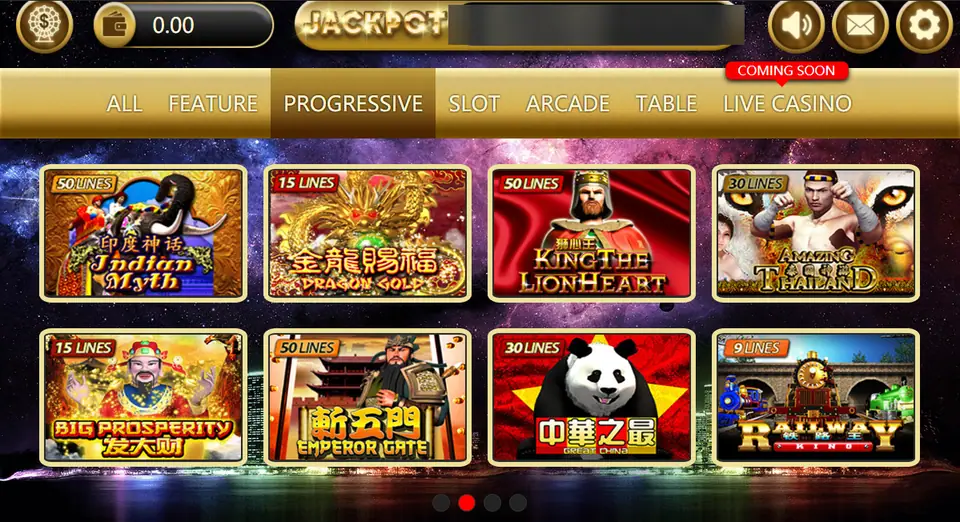
That's the lobby a working install opens to, here on the Progressive tab, with line counts on each tile and Live Casino marked Coming Soon. The account line beside the jackpot bar is blurred.
Where the iPhone build comes from
Sky777 isn't in the App Store. Apple only lists real-money gambling apps from operators licensed in the country, and online gambling is illegal in Malaysia. Instead, the build was signed with an enterprise certificate, a kind Apple issues to companies so they can install their own in-house apps on staff phones.
What the trust step allows
After the install, iOS shows "Untrusted Enterprise Developer". You cancel, open Settings > General > VPN & Device Management, tap the company under Enterprise App, and tap Trust twice. From then on, any app signed with that certificate can run on your iPhone. That's all. It doesn't install a profile, read your photos or manage the phone.
Why it stops working
Handing a casino app to the public breaks Apple's enterprise rules, so Apple revokes those certificates when it finds them. Every app signed with a revoked certificate stops opening at once. You'll see "Unable to Verify App", or the developer entry disappears from Settings.
When that happens:
- Delete the broken app. Trusting it again won't bring it back.
- Get the replacement build only from the agent who issued your ID. It'll be signed by a new company name.
- Refuse any "fix" that asks you to install a configuration or device management profile. Those can control the phone.
- Your game ID and credit live on the operator's server, not in the app, so reinstalling doesn't touch them.
Android and the PC route
On Android, give "Install unknown apps" to the browser or file manager you're using (Settings > Apps > Special app access), install, then take it back. Compare the file's size and version with what your agent says, and uninstall anything that asks for accessibility or SMS access. There was no Windows client. The old FAQ sent PC players to Nox Player, an Android emulator, which is its own download from its maker's site.
The Sky777 overview covers the lobby and the Sky777 game list has every game page. Joker123's install notes explain the emulator route in more detail, and the rest are under install notes. If you still want an ID, the partner page issues them.
18+ only. Online gambling is illegal in Malaysia, and a revoked app is a reminder how little stands behind these apps. See responsible gaming.
Questions people ask
Why does Sky777 say Unable to Verify App on my iPhone?
Usually because Apple revoked the enterprise certificate the build was signed with. Trusting it again won't help. A new build signed by a different company is the only fix.
Should I install a profile someone sends to fix Sky777?
No. The normal step is trusting an enterprise developer, which needs no profile. A configuration or device management profile can control your phone, so refuse it.
Can I play Sky777 on a PC?
There was no Windows client. The old FAQ suggested running the Android app inside an emulator such as Nox Player.
18+ only. Real-money game, and online gambling is illegal in Malaysia. Don't play with money you need, and stop when it stops being fun. Responsible gaming.